Database Cloning
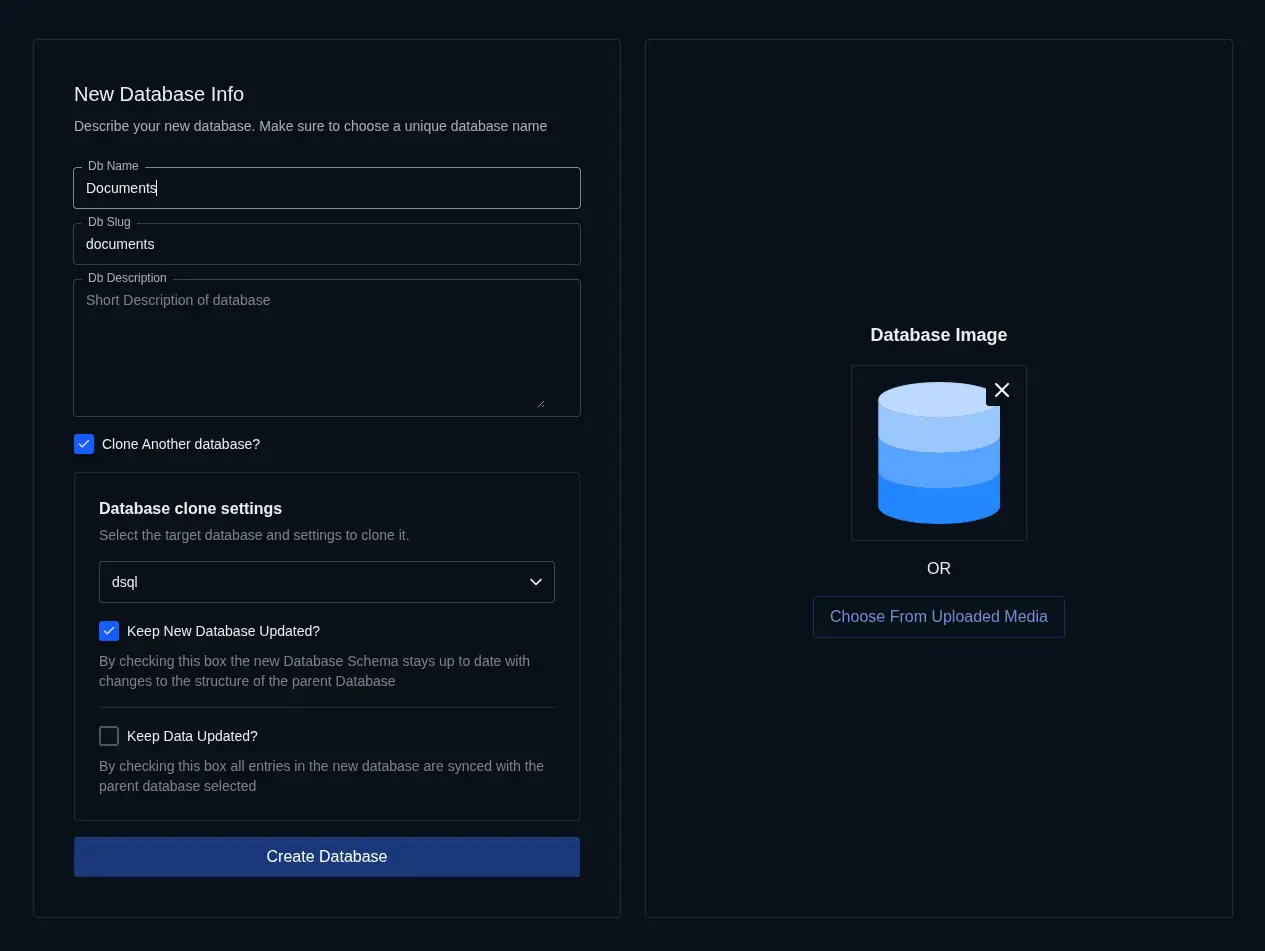
Spin up a full copy of an existing database without starting from scratch. Use it for staging, onboarding new tenants, or testing risky changes while keeping the structure aligned with the source.
How It Works
- Choose the source database you want to replicate inside your account
- Select the destination — either an existing database or a newly created one
- Copy the full database or only selected tables, depending on the environment you need
- Keep the structure aligned as schema changes are propagated from the source to the clone over time
Key Features
Real-Time Schema Sync
Changes to the source schema can be carried forward automatically, which helps staging and secondary environments stay structurally consistent with the database your team is actively evolving.Clone With or Without Data
Create a lightweight schema-only copy or bring the current rows with it. That lets you choose between a clean environment for testing and a realistic one for debugging or QA.Cross-Database Support
Source and destination do not need to share the same name or purpose. You can clone across databases in the same account to support tenant provisioning, sandboxing, and environment setup.Indexes and Constraints Included
Datasquirel carries over the structural details that keep behavior consistent: field types, defaults, indexes, and constraints all move with the clone.Use Cases
- Staging environments: Mirror production structure in a separate database before shipping schema changes
- Multi-tenant setups: Provision new tenant databases from a trusted template instead of recreating tables manually
- Training and demos: Give teams a realistic environment to explore without risking live data
- Safe experimentation: Try migrations, integrations, or one-off fixes in a sandboxed copy first